Remote support
Connect to a customer's PC from the job.
See the problem for yourself. Remote support is built into MainTrak, so there's no separate tool to pay for or keep up to date.
Remote support
Remote support, built in.
See the error for yourself, check the install or walk them through it. Connect to a customer's PC from the job, in your browser. Sessions are encrypted end to end, and there's nothing to open on the firewall.
Ask to connect
Press Ask to connect. The person at the PC reads you a one-off password, or says no.
Unattended
Connect when nobody's there, using a password set on that PC. MainTrak never sees the password.
When they call you
They click the MainTrak icon by the clock, choose Remote support and read you a code.
PCs without the agent
Send them a link. They download MainTrak Support and read you a code. Nothing is installed.
- Works well over slow connections
- Copy files and text both ways
- Works with several screens
- Ctrl+Alt+Del, on PCs with the agent
- An app for iPad and iPhone
- See which PCs are online right now
- Restart the PC and reconnect when it's back
- The person at the PC sees you're connected, and can end it
Job 2026-10-12-0004 · Devices
In MainTrakKDG-RECEPTION OnlineUnattended
Kestrel Dental Group · Front desk · Windows 11 Pro
On Sophie's PC
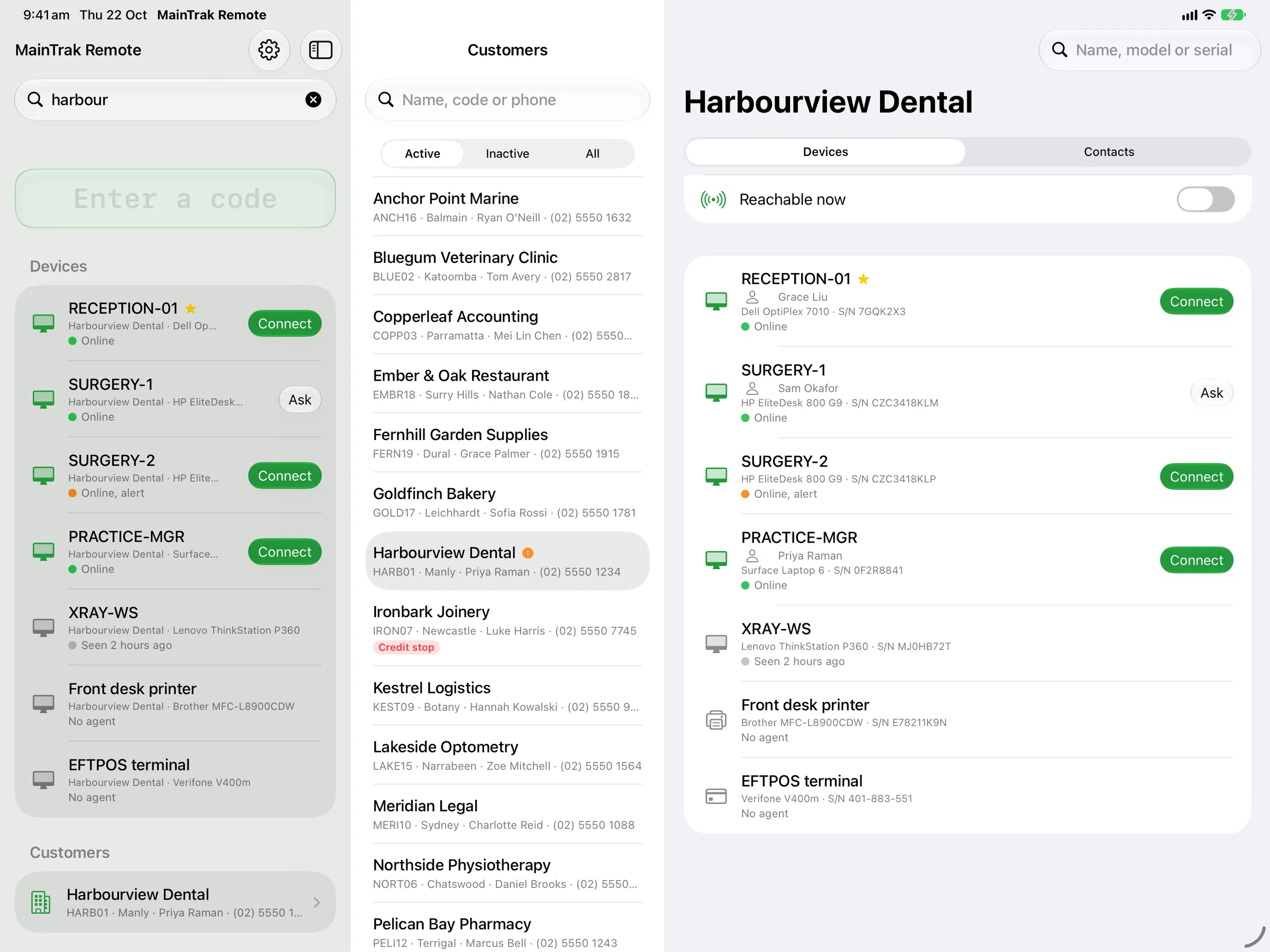
MainTrak Remote for iPad and iPhone
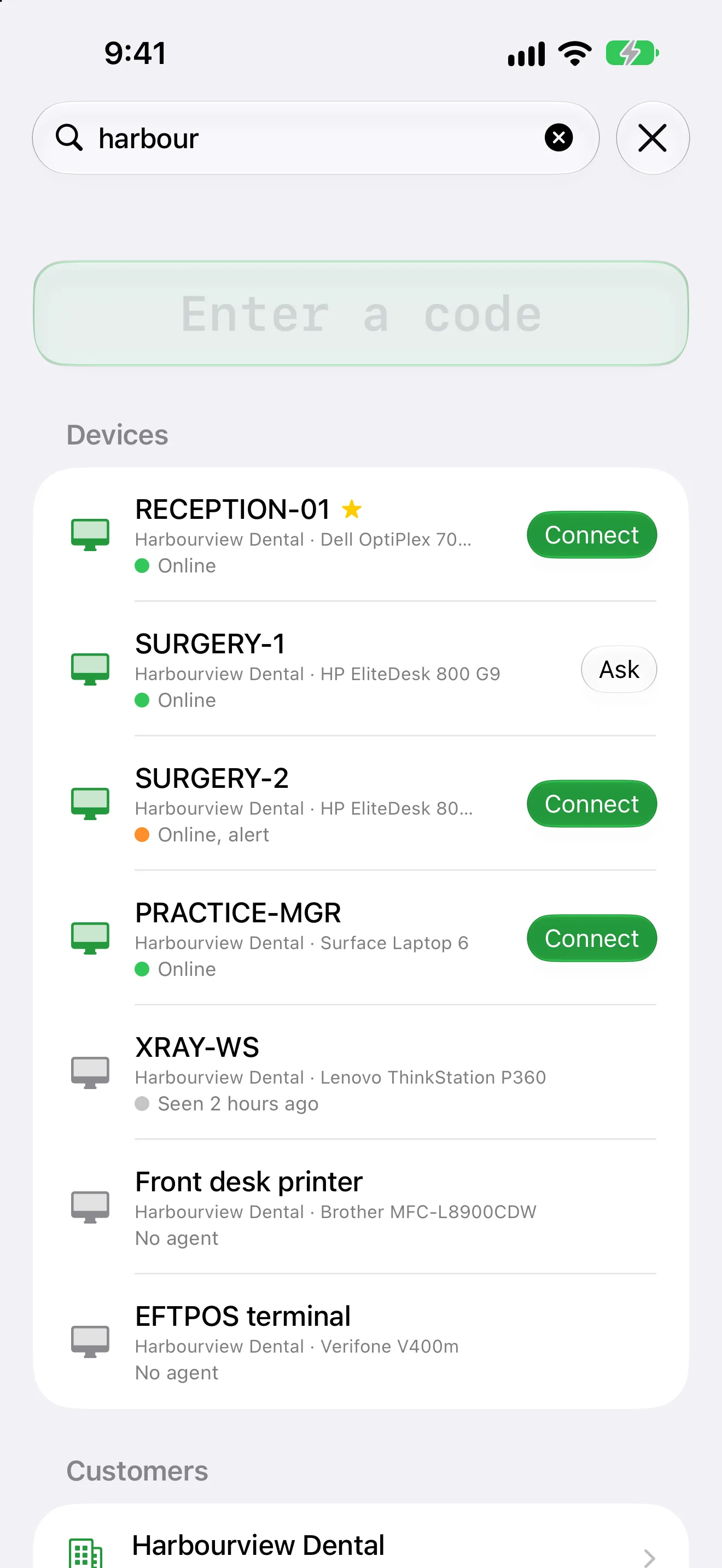
A customer calls. Find their PC and connect, from your iPad.
An app for remote support. Find the customer's PC, see if it's online, and connect. It uses the same sign-in and the same encryption as the browser.
- Find the PC by customer, device or the person calling
- See which PCs are online, and connect
- Use a keyboard, mouse, trackpad or Apple Pencil
- Or use touch, which works like a trackpad
- Show the PC on an external screen, or two PCs side by side
- Copy files and text, as in the browser
The MainTrak Agent for Windows
Keeps an eye on every PC, and can't do anything else.
A small program for Windows PCs and servers. It checks drives, services, updates and antivirus, and tells your MainTrak when something's wrong. People at the PC get an icon by the clock to ask for help.
Monitoring only
It can't run scripts or commands, and it only installs its own updates, signed by us. Even if someone broke into your MainTrak server, they couldn't use it to reach your customers' PCs.
Problems become jobs
A full drive, a stopped service, missing updates or antivirus turned off each raise a job request.
What's on each PC
Each PC's hardware, Windows version and installed programs, so you know what your software is running beside.
Updates itself
Try a new version of the agent on a few PCs first, then roll it out to everyone.
Easy to install
Email the customer a setup link, or read them a short code over the phone.
FAQ
Questions about remote support.
Is remote support secure?
Yes. Sessions are encrypted end to end, so even the MainTrak server can't see the screen. Nobody connects without the PC's say-so: the person there agrees, or you use a password that was set on that PC. They can see when you're connected, and end it. The MainTrak Agent can't run scripts or commands, so it can't be used to push anything to customers' PCs.
Do customers need the agent for remote support?
No. Without it, they download MainTrak Support, open it and read you a code. Nothing is installed. The agent adds unattended access, Ctrl+Alt+Del and health checks.
Can we remote in from an iPad or iPhone?
Yes, with the MainTrak Remote app. Find the PC by customer, device or caller, and connect. It works with a keyboard, mouse, trackpad or Apple Pencil, or with touch.
More of MainTrak
Help desk
Emails, calls and portal requests become jobs, with SLAs, automations and a job sheet that shows everything.
Software monitoring
Your software's errors grouped into issues, with the customers and versions they affect.
Billing
Support plans, licences, quotes and time, billed each month and sent to your accounting system.
Integrations
Your email, phone system, accounts, AI and your own software, connected.
Hosting and security
Hosted by us or on your own server, with two-factor sign-in, roles and an audit trail.
Try MainTrak
See it working on your own support jobs.
Tell us a little about your team and we'll get a trial ready with you.
- We set it up with you, so you're not left with an empty system
- Hosted by us, or on your own server
- We reply by email. No sales calls unless you ask
Rather talk now? Call +61 3 5221 2833 or email sales@acumensystems.com.au.