Integrations
Works with the tools you already use.
Connect your email, phone system, accounts and AI. Your own software can send its errors too. If you need something else, we'll build it with you.
Integrations
Works with the tools you already use.
Connect your own software, email, accounts, phone system and more. If you need something that isn't here, ask us.
Your software
Your software posts error reports and update reports to MainTrak's API, with example code to start from. GitHub is optional.
Email and Outlook
Emails become job requests, and replies go to the right job. In Outlook, turn an email into a job. Contacts stay in step with Outlook or Google.
Accounting
Invoices and quotes go straight to Xero or MYOB. Use something else? Export the charges, or link it through MainTrak's API.
Phones
See who's calling as the phone rings, with their open jobs. Every call is logged against the customer. With some systems, click a number to call it.
Remote access
Already use a remote tool? Keep each PC's ID on its device and connect in a click.
AI
Use a cloud AI, or run one on your own server so your data stays with you.
Sign-in
Staff sign in with Google or Microsoft, and everyone can use two-factor codes.
Custom integrations
Automations can call other systems' web APIs and send webhooks. Need something else? We'll build it with you.
Data and hosting
Use the database your team knows. Import and export your data with CSV or Excel.
Plugins
Add what your team needs, without waiting for us.
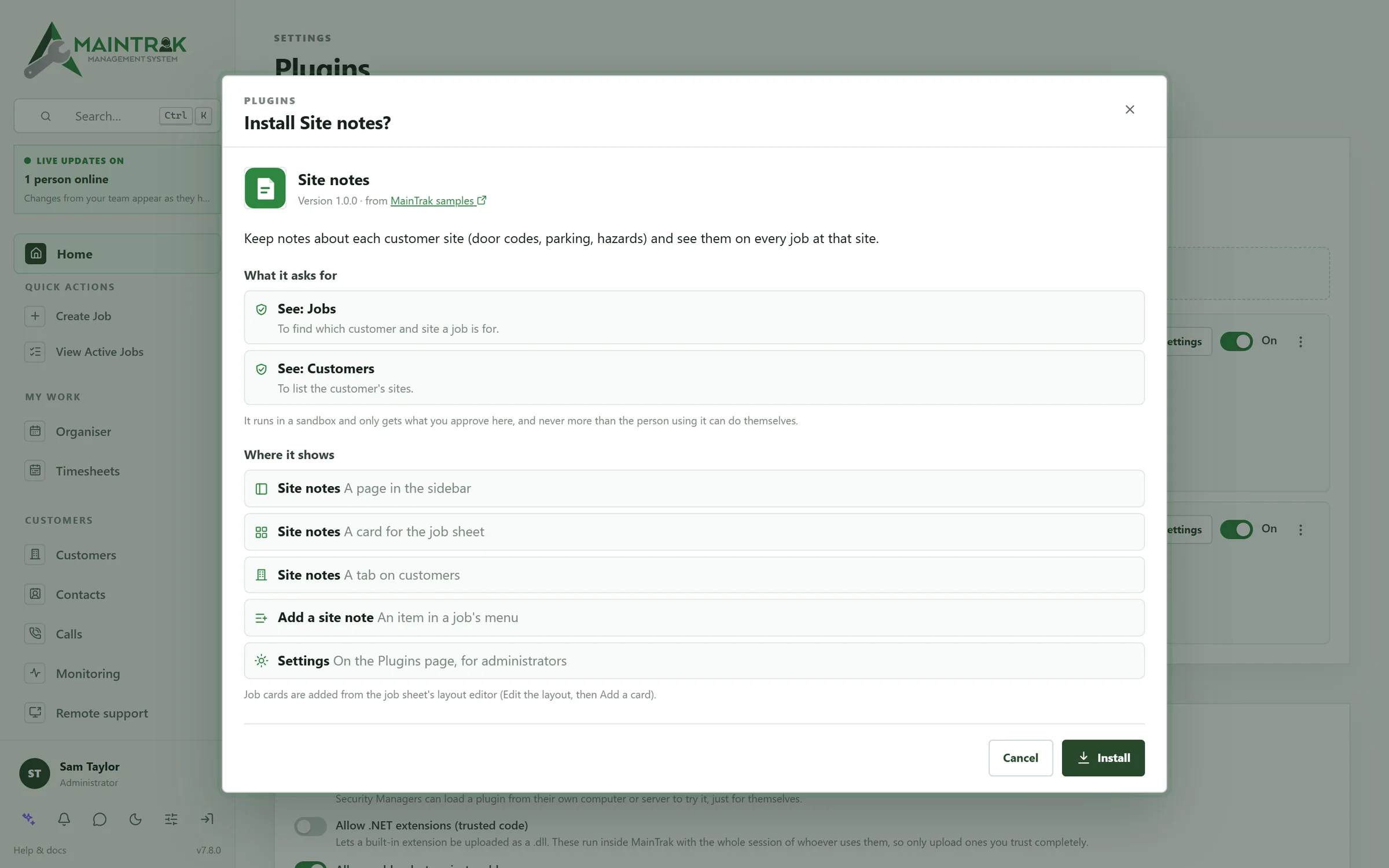
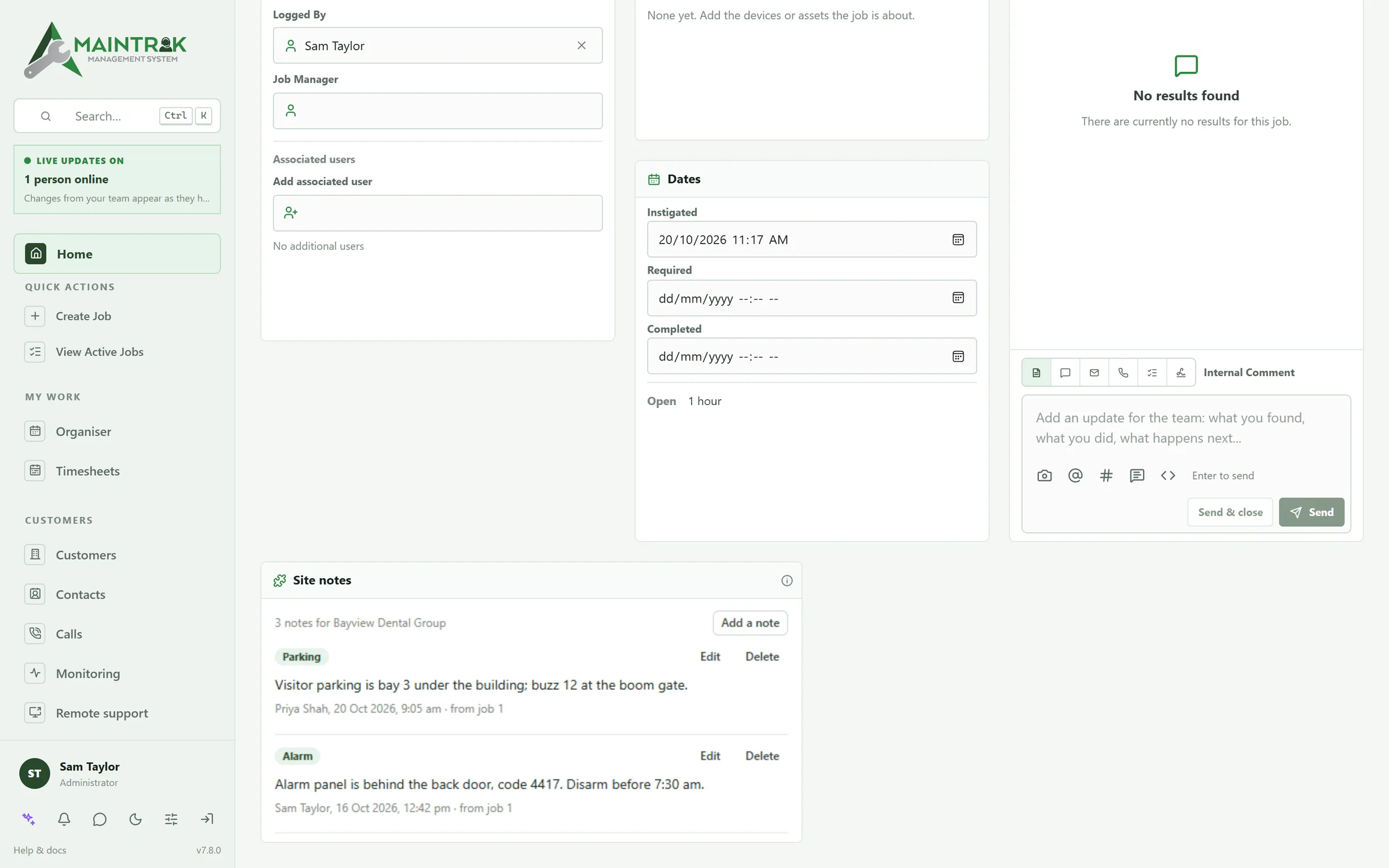
Plugins add your own pages and cards to MainTrak. Build one yourself, or have us build it with you.
Where they show
Add pages to the menu, cards to the job sheet and tabs to a customer.
Safe by design
Plugins run in a sandbox, with only the access you approve when you install them.
Plain web code
Write them in HTML and JavaScript. There's a small SDK and a sample to start from.
Your own server too
Get told when jobs and customers change, and call MainTrak's API from your own server.
FAQ
Questions about integrations.
Can MainTrak connect to our other systems?
Yes. It works with Microsoft 365, Gmail, Outlook, Xero, MYOB, phone systems, GitHub and the main AI services. Automations can call other systems' web APIs too. If you need something else, we can build it with you.
Which phone systems work with MainTrak?
3CX, Yeastar, RingCentral, Zoom Phone and Aircall. With each one, you see who's calling as the phone rings, and the call is logged when it ends. With 3CX, Yeastar and Aircall you can also click a number in MainTrak to call it. On 3CX, that needs Call Control, on the AI edition.
Do we have to use AI?
No. Everything works without it. If you want it, connect OpenAI, Claude, Gemini or a similar service. Or run a free model on your own server with Ollama, so nothing leaves your network.
More of MainTrak
Help desk
Emails, calls and portal requests become jobs, with SLAs, automations and a job sheet that shows everything.
Software monitoring
Your software's errors grouped into issues, with the customers and versions they affect.
Remote support
Connect to a customer's PC from the job, in your browser, encrypted end to end.
Billing
Support plans, licences, quotes and time, billed each month and sent to your accounting system.
Hosting and security
Hosted by us or on your own server, with two-factor sign-in, roles and an audit trail.
Try MainTrak
See it working on your own support jobs.
Tell us a little about your team and we'll get a trial ready with you.
- We set it up with you, so you're not left with an empty system
- Hosted by us, or on your own server
- We reply by email. No sales calls unless you ask
Rather talk now? Call +61 3 5221 2833 or email sales@acumensystems.com.au.