All features
Everything in MainTrak.
A look around, how MainTrak compares, and the full list of what's in it today.
Product tour
Take a look around.
maintrak.yourcompany.com.au
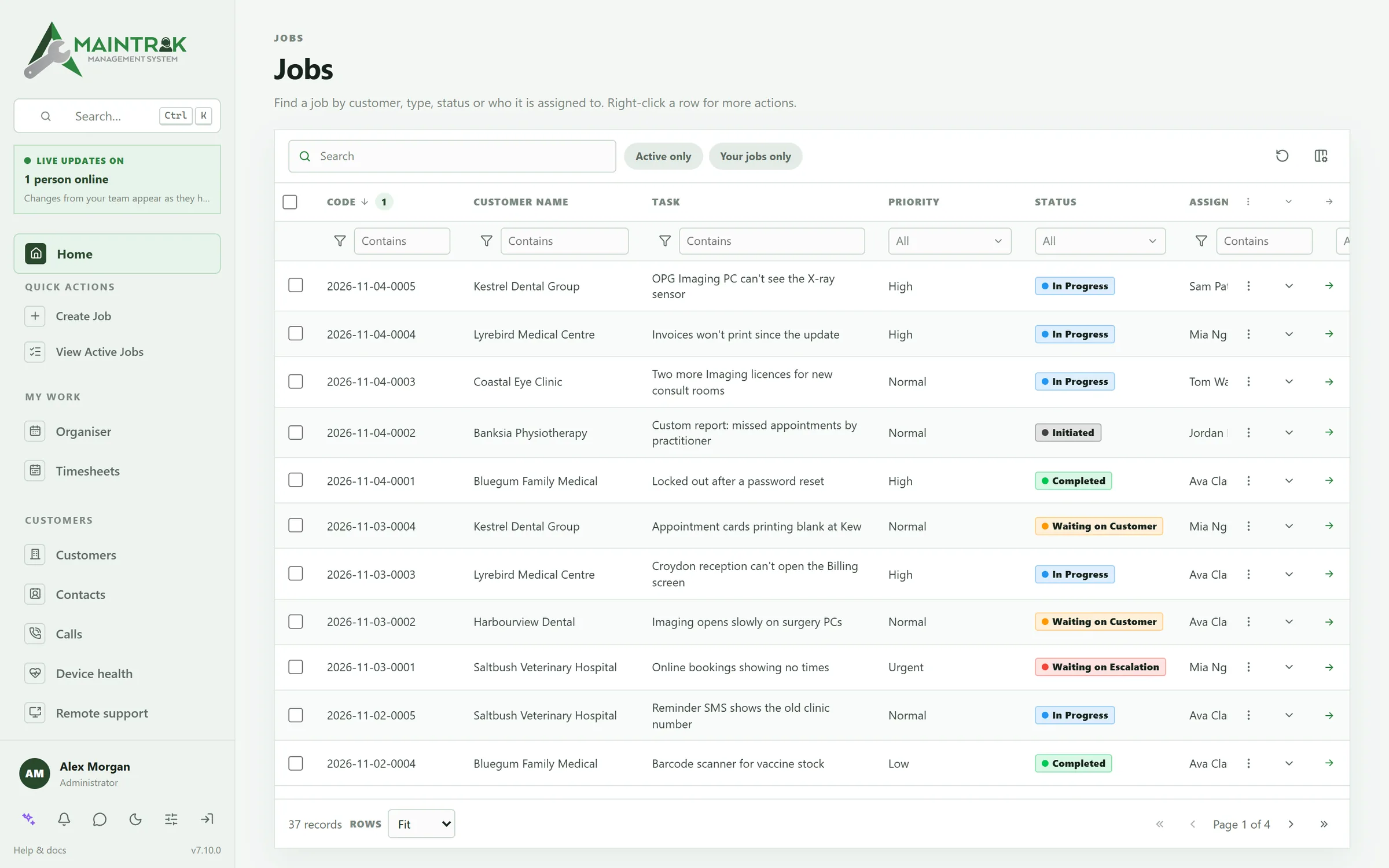
maintrak.yourcompany.com.au
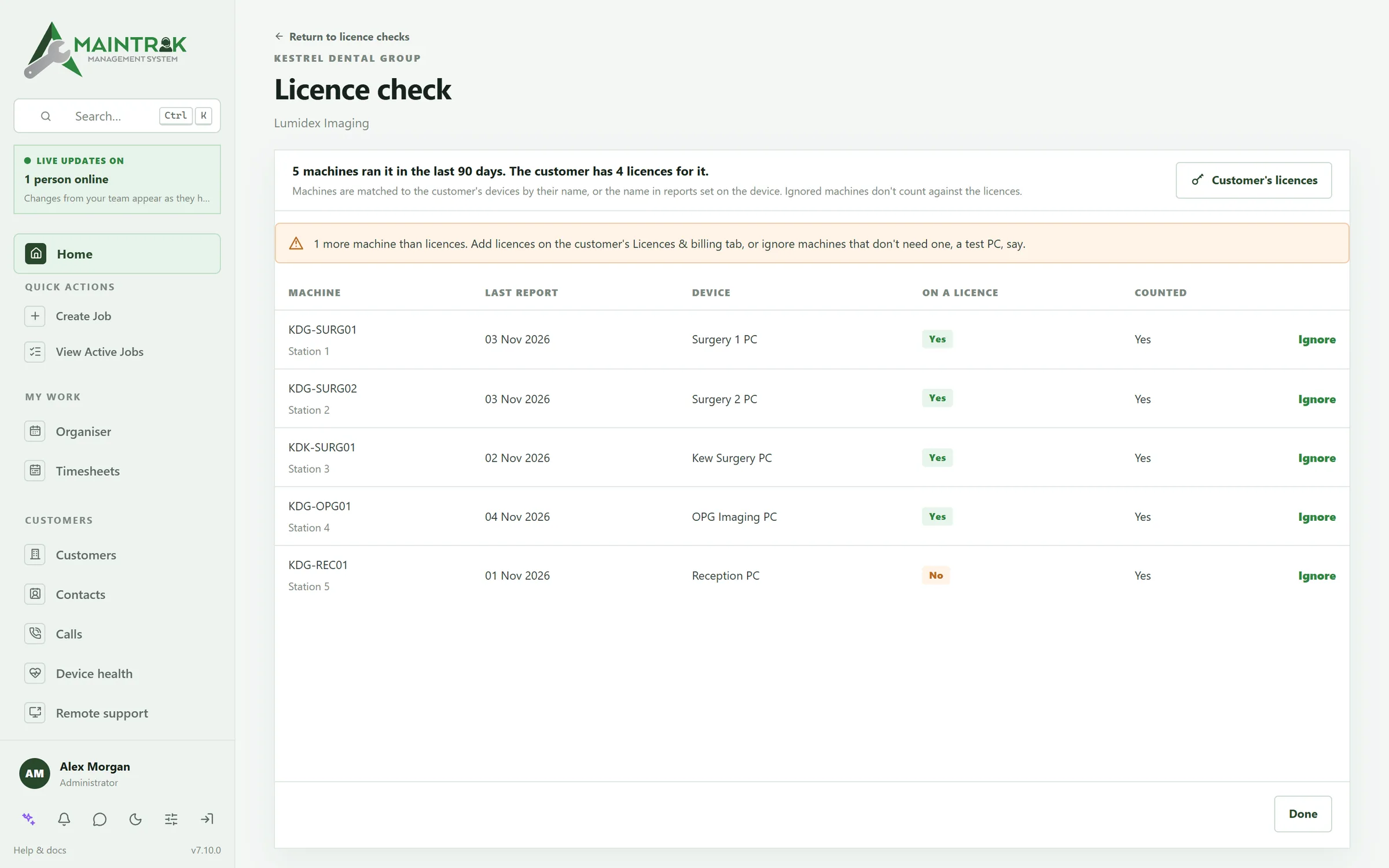
maintrak.yourcompany.com.au
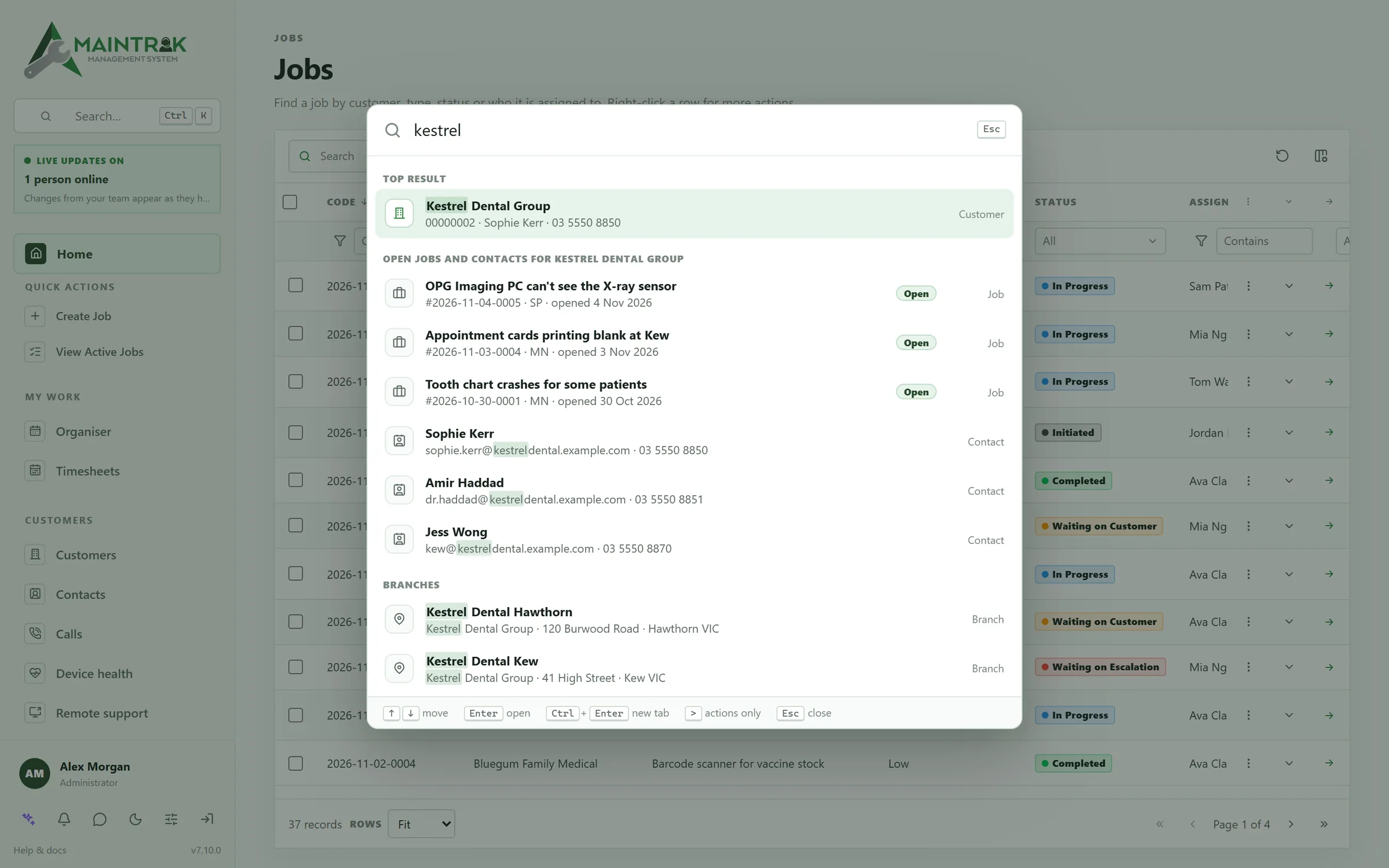
maintrak.yourcompany.com.au
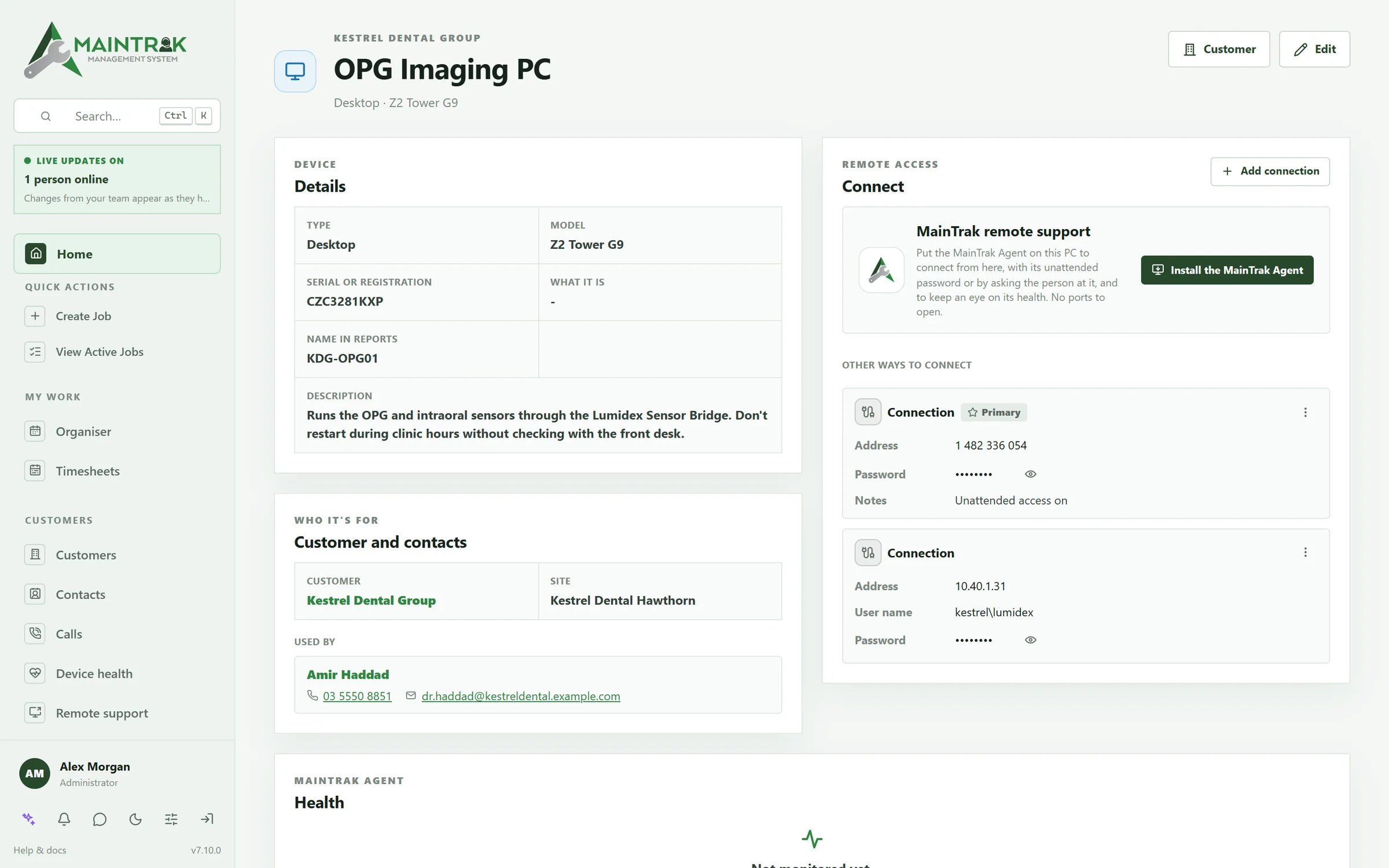
maintrak.yourcompany.com.au
maintrak.yourcompany.com.au
maintrak.yourcompany.com.au
maintrak.yourcompany.com.au
maintrak.yourcompany.com.au
Compare
A help desk, an error tracker and billing, in one system.
Many software companies join a help desk, an error tracker, a licence spreadsheet and a billing add-on together. MainTrak does all of it, and you choose where it runs.
| Feature | MainTrak | Typical help desk SaaS | Typical error tracker | Shared inbox + spreadsheet |
|---|---|---|---|---|
| Help deskEmail to job, SLAs, a branded customer portal and your own help centre | By hand | |||
| Your software's errorsGrouped into issues, with the versions they're in | Via a separate tool | |||
| Errors tied to customersWhich customers have each issue, linked to their support jobs | Via integrations | Users, not customers | ||
| Versions in useEach customer's version against your latest release | Releases, not customers | By hand | ||
| Support plans and licencesPlans, subscriptions and licences billed monthly, with licence checks | By hand | |||
| BillingQuotes, time and month-end bills, sent to your accounting system | Via integrations | By hand | ||
| Phone integrationWho's calling as the phone rings, and automatic call logging | 3CX, Yeastar and more | Often an add-on | ||
| Remote supportConnect to a customer's PC from the job, and watch its health | Windows PCs | Via integrations | ||
| Uptime monitoringWebsites, APIs, certificates and scheduled jobs, checked around the clock | Via a separate tool | Often an add-on | ||
| AutomationA visual builder you can test step by step | Often top plans | Alert rules | ||
| Self-hostingYour own server, on SQL Server or PostgreSQL | Rarely | Some | n/a |
Compared with what's typical for each kind of product, not any one product. Features vary by vendor and plan.
The full list
Grouped by the work it helps with.
Software monitoring
- A reporting API: your software posts error reports and update reports to MainTrak, from any language that can send a web request. Example code for C#, PowerShell, Python and JavaScript to start from.
- A reporting login for each program or each customer, and a button to send a test report.
- Errors from the same problem are grouped into issues, with how many customers have it and which versions it's in. It reads .NET, Java, JavaScript and Python stack traces.
- Mark an issue fixed in a version. If it turns up again in that version or a newer one, it's flagged as having come back.
- Confirmed fixed: once every machine that had it is on the fixed version or newer, and none has had it since, the issue says so.
- Suggest a fix: AI reads the latest stack trace and the code it names in the product's GitHub repository, and suggests the cause, the fix and what to check. It never changes your code, and only staff with Development access can use it.
- New issues and issues that come back send an alert, and can run automations.
- Known causes catch errors you already understand, wherever in the code they happen.
- Link issues to customers' jobs, and MainTrak suggests jobs that look like the same problem.
- Versions in use for each product, with each customer's version compared with your latest release from your update folders, website or GitHub releases.
- Licence checks count the computers each customer has your software on.
- GitHub is optional: log or link an issue, or track it all in MainTrak.
Uptime monitors
- Check websites and APIs, TCP ports, ping, TLS certificates and DNS records around the clock, every 20 seconds to once a day.
- Heartbeat monitors for backups and other scheduled jobs: the job calls the monitor's address, and if the calls stop, the monitor goes down.
- API checks with steps, like Postman: sign in, keep the token, then call the API with it. Each step has its own checks, and scripts if you need them.
- Look for a word in the page or a value in the JSON, and warn when an answer is slow or a certificate is close to expiring.
- Up, warning, down or paused, live on the Monitors page, with response times and uptime over 24 hours and 30 days.
- The people who look after monitoring get a notification when a monitor goes down and when it's back up, and automations can act on it too.
- Link a monitor to a customer or one of your products, and group them however you like.
- Monitors, issues, error reports and updates sit together under Monitoring.
Requests and email
- Connect Microsoft 365, Gmail or any IMAP mailbox in a few steps, and emails become job requests.
- Requests wait for triage, with unknown senders and filtered noise in their own tabs.
- Replies thread onto the right job.
- A request that looks like a job you already have is flagged, so you can add it to that job instead.
- When a request names one of the customer's devices, the device goes on the job.
- Portal users can raise requests themselves if you turn that on.
- In Outlook, the MainTrak add-in logs an email as a request, a new job or a note on a job, and shows the sender's open jobs.
Jobs
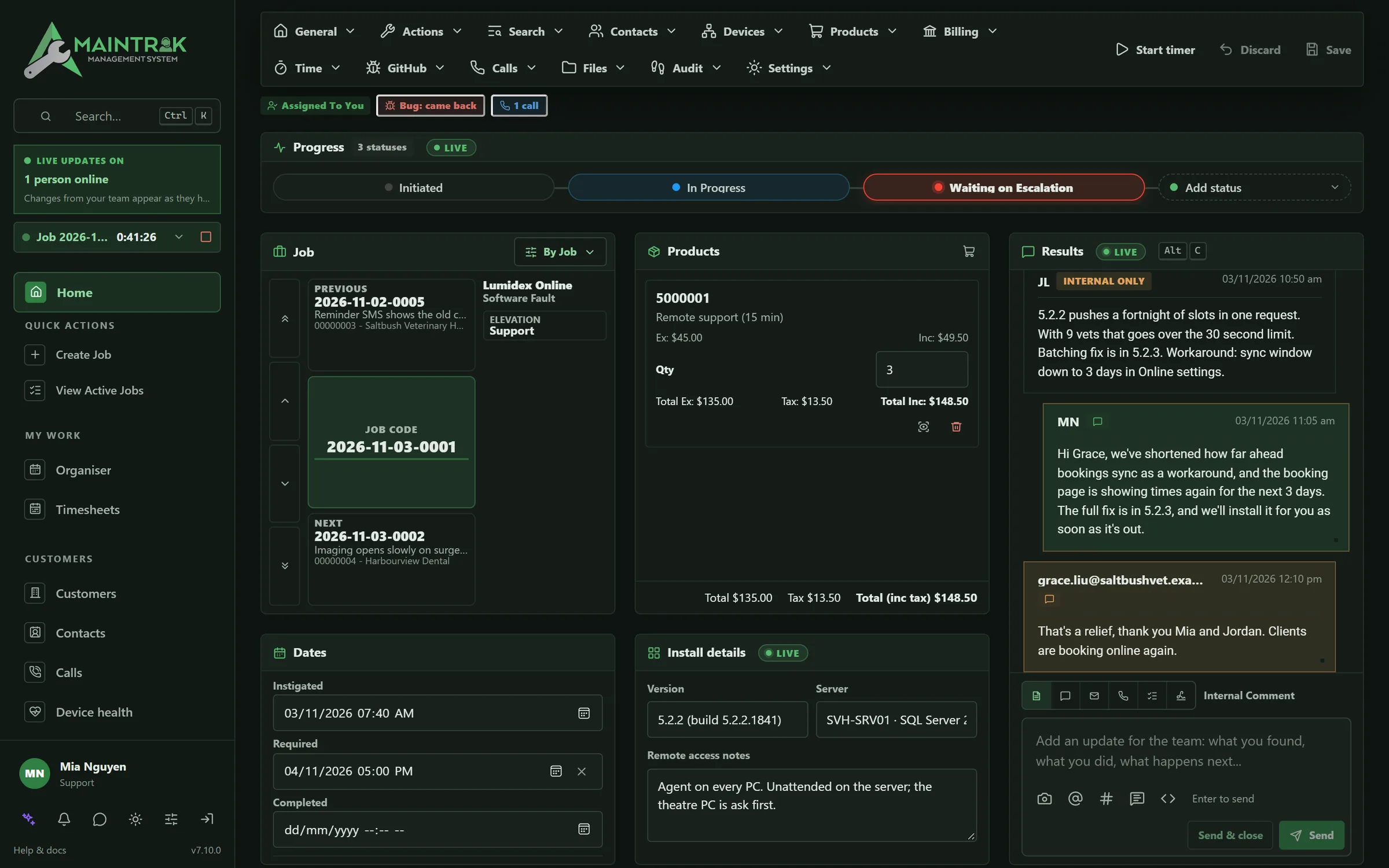
- Everything about a job on one screen: status timeline, SLA, people, files, charges and the conversation.
- Your own job types, statuses and colours, priorities and checklist templates.
- Job numbers from running numbers, dates and prefixes. The number starts again when the date part changes.
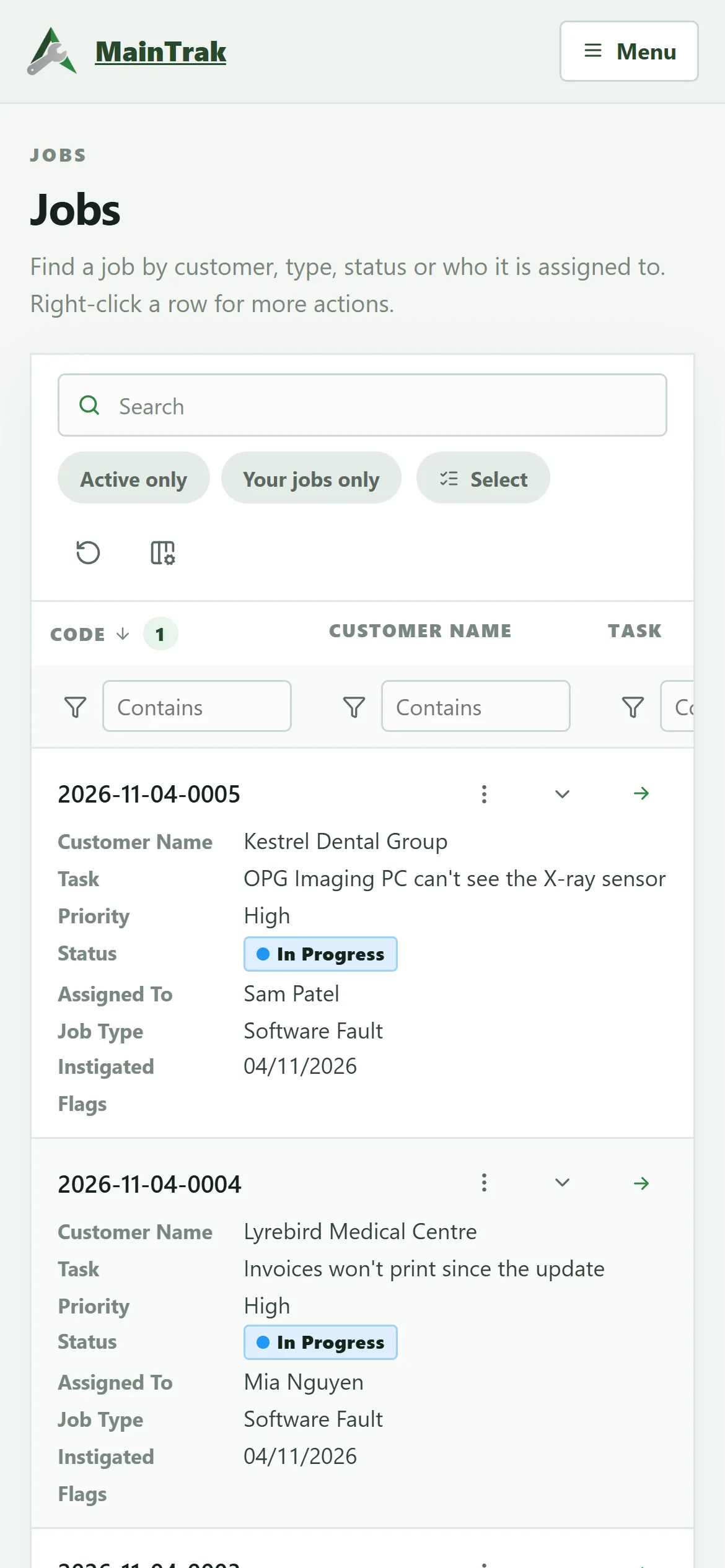
- A jobs list where you can filter any column (tick the statuses, types or flags you want), group rows and pick your columns. Your layout is remembered.
- A board with one column per status: drag a card to change its status.
- Jobs that look like another one for the same customer are pointed out, so you can merge them.
- Quick replies: ready-made answers, shared or your own, for emails, notes and customer chat.
- Leave a job and your changes are saved, without overwriting anything a colleague saved in the meantime.
- Teams decide who sees which jobs, and work can be escalated or delegated between them.
- Choose which team new jobs go to: the team of whoever adds the job, a team above or below theirs, or one you pick.
- Customer sign-off: for the job types that need it, the customer signs the job off before it's completed.
- Customers rate finished jobs by email or in the portal, and a poor rating alerts a manager.
SLAs
- Response and resolution targets per customer.
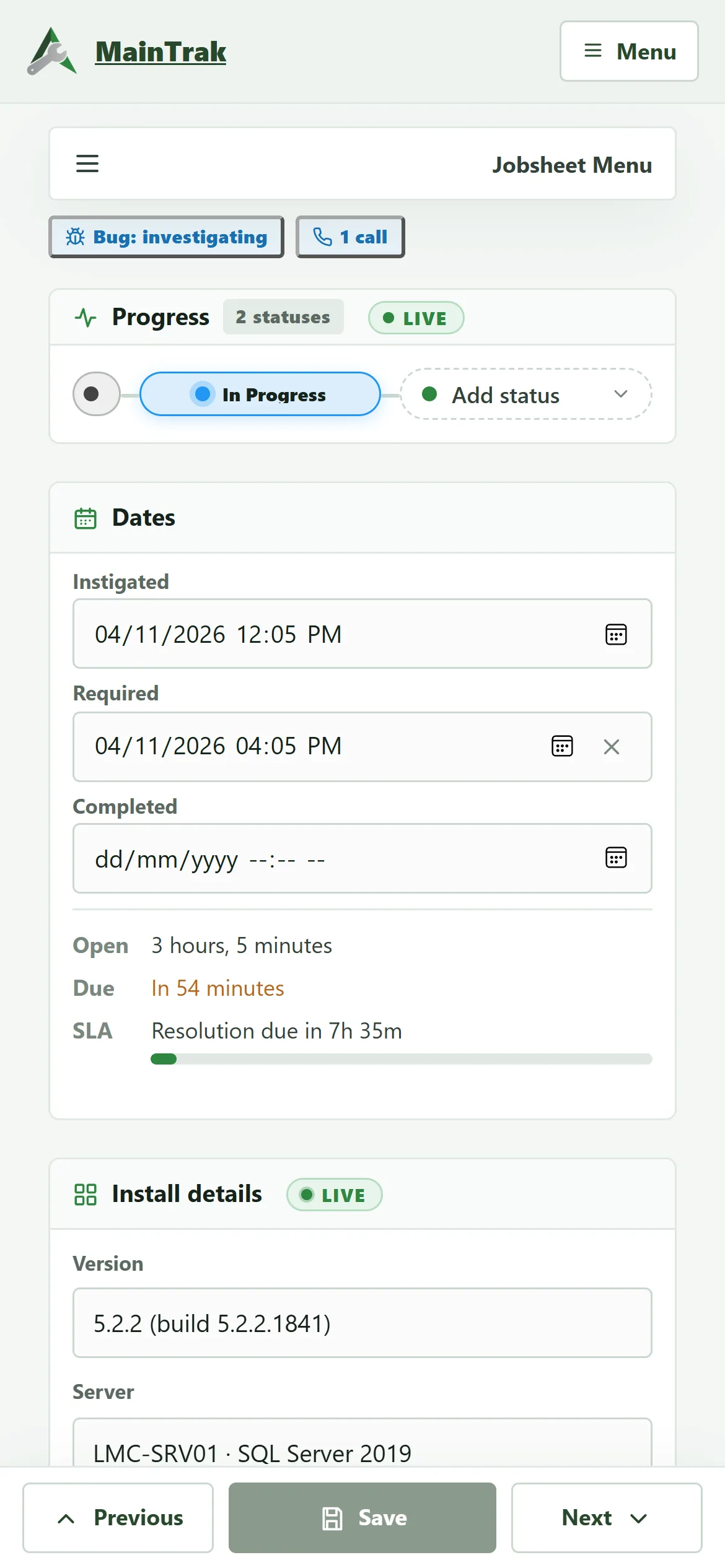
- A live countdown on every job.
- Alerts before a breach as well as after one.
Customers, devices and assets
- Customers have sites, and each site has its own default contacts.
- Devices and assets, from PCs and servers to vans and equipment, with a serial or registration, the site they're at and who uses them.
- Connection details on each device for TeamViewer, AnyDesk, RustDesk, ScreenConnect, Splashtop and more, or RDP, VNC, SSH or a web address. Click to copy, or connect.
- The agent adds each PC's TeamViewer, AnyDesk and RustDesk IDs itself.
- A Devices card on the job sheet that suggests any of the customer's devices the job mentions.
- Each device shows its licences, the support plans that cover it, and every job it's been on.
- Contacts kept in step with Outlook (Microsoft 365) or Google Contacts, once you've checked what will change.
Remote support
- Connect to a customer's PC from MainTrak, in the browser, with nothing to open on the firewall.
- Sessions run through your own MainTrak and are encrypted end to end, so even the server can't see the screen.
- Connect straight from the device on a job, or from the device's page.
- Ask to connect: the person at the PC reads you a one-off password, or says no.
- Unattended access with a password set on the PC, which MainTrak never sees. It works at the Windows sign-in screen after a restart.
- The person at the PC sees a bar while someone's connected, and can end it.
- H.264 video that adapts to slow links, file transfer both ways, a shared clipboard, several monitors, and Ctrl+Alt+Del on PCs with the agent.
- MainTrak Remote, a native app for iPad and iPhone: find the PC by device, customer, contact or phone number, see which are online, and connect.
- The app works with a hardware keyboard, mouse, trackpad or Apple Pencil, or touch that works like a trackpad, and can show the PC on an external display or two PCs side by side.
- MainTrak Support for PCs without the agent: one small download, and the person reads you a code and password.
- Send a remote support link by email or as a message, from a job, customer, contact or the Remote support page. Or read out a short address: your MainTrak's address with /support.
- See whether each PC is online, offline or restarting, as it changes.
- Restart a PC while you're connected and MainTrak waits for it. With unattended access it connects again by itself.
- My devices: staff can set up their own PC, like a home PC, and connect to it from anywhere. Only they can see it, and they can let a colleague connect for an hour, today, a week or until they stop it.
MainTrak Agent
- A small Windows service for PCs and servers that checks drives, services, updates, antivirus and certificates.
- Problems become job requests.
- Each device's hardware, Windows version and installed programs, kept up to date.
- Live health figures while you work on a PC.
- A tray icon by the clock, so people at the PC can see it's working and ask for remote support.
- Monitoring only: it can't run scripts or commands, and only installs its own updates, signed by us. So a hacked server can't push anything to your customers' PCs.
- Roll out a new agent version from MainTrak: try it on a few test PCs first, then everyone. It updates itself.
- Setup links: install the agent from a link, or a code you read out over the phone, and set up many PCs with the same settings.
- Send a setup link for one of a customer's contacts or devices, and the PC shows up as theirs, or as that device.
- Short addresses to read out: /install on your MainTrak's address for the agent, /support for MainTrak Support.
Customer portal
- Customers sign in (with two-factor if you like), see their jobs and message your team, photos included.
- Updates appear live.
- They raise requests with a priority and the device it's about, and close and rate their jobs.
- They accept and sign quotes online, and see their devices and support plans if you choose.
- They get remote support, or install the MainTrak Agent, straight from the portal.
- Set the colour, font, corners and logos, and check them in a live preview.
Help centre
- Your own documentation site, in your brand, at your own address.
- Guides for everyone, for staff only, for any portal user, or for chosen customers.
- Customers read their guides from your portal, and it suggests them when they raise a request.
- Write pages with pictures, videos, tables and downloads, or import them from Word, Markdown, HTML or GitBook.
- Search, a library of saved pages, and PDF booklets.
- "Was this helpful?" votes, and an Ask us button that turns a reader's question into a job request.
- Opens from MainTrak already signed in, and finds help articles for the job you're on.
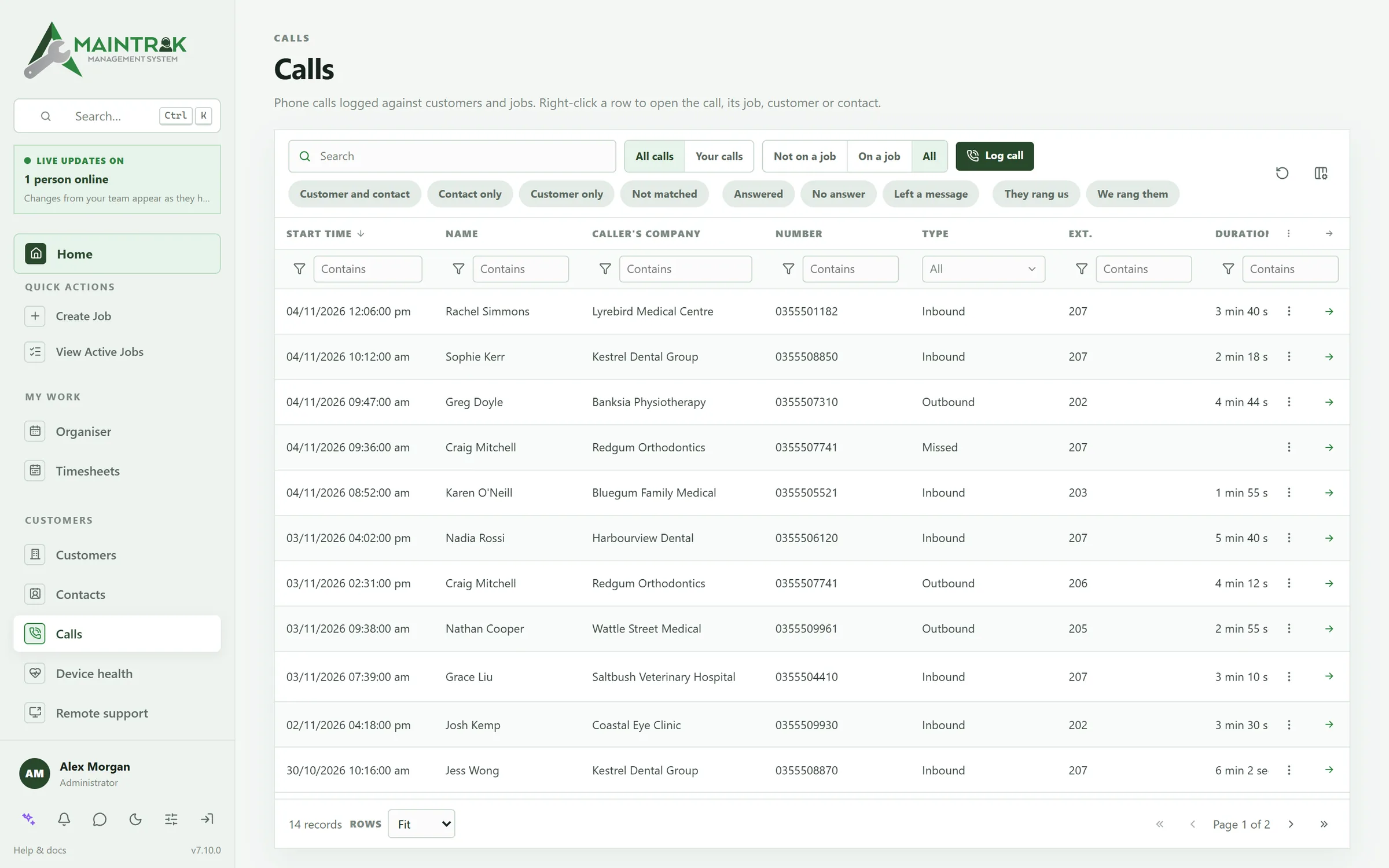
Calls
- Connect 3CX, Yeastar, RingCentral, Zoom Phone or Aircall, and every customer call is logged against the customer when it ends, with how long it ran and who took it.
- When your phone rings, or when you call out, a call card slides in with the caller's contact and customer, and a notification if MainTrak isn't the window in front.
- The card can show whether the customer or their plan is on stop, their open jobs and the newest, the last call and who took it, their support plan and SLA, and the contact's notes.
- Start a new job from the card during the call, and the call goes on that job when it ends. Or add the call to a job afterwards.
- As the phone rings, MainTrak can just show the card, open the contact or the customer, or start a new job.
- Set up the card for everyone in Company settings: what it shows, which buttons in what order, and how long it stays. Each person can change their own in My settings.
- Live now on the Calls page: who's on the phone with whom, ringing, talking or on hold, and for how long.
- Chat & people shows who's on a call and with whom, and a job sheet shows when someone's on a call with that job's customer.
- Link a call to a job, move it to another job or unlink it. Create a job from a call, with the customer, contact and notes filled in.
- With 3CX Call Control, Yeastar or Aircall, click a contact's or customer's number to call it from your own phone, and hang up or decline a call from the card on 3CX and Yeastar.
- On 3CX PRO or AI plans you can use the CRM template instead: 3CX looks callers up in MainTrak and logs each call when it ends. A setup wizard builds it for you.
- Log calls by hand too, even when no one answered, so the job shows you tried.
Automations
- Dozens of triggers, from new emails to SLA warnings to GitHub events.
- Branch with if/else, loop, wait and send.
- Step through a test run with sample data, and even pretend the assignee is offline.
- Start from 15 ready-made automations, such as chasing customers who haven't replied or putting late payers on stop.
- Company-wide automations, and personal ones that only notify you.
- Call other systems' web APIs and send webhooks.
- Every email MainTrak sends comes from a template you can edit.
Charges, support and licences
- Labour, products and kits on a job become charges, with pricing per customer or contact.
- Add several products to a job at once, each with how many, and charge everything still unbilled in one go.
- A charge's due date follows your terms: so many days or months from the day it's made, the job's completion or the end of the month.
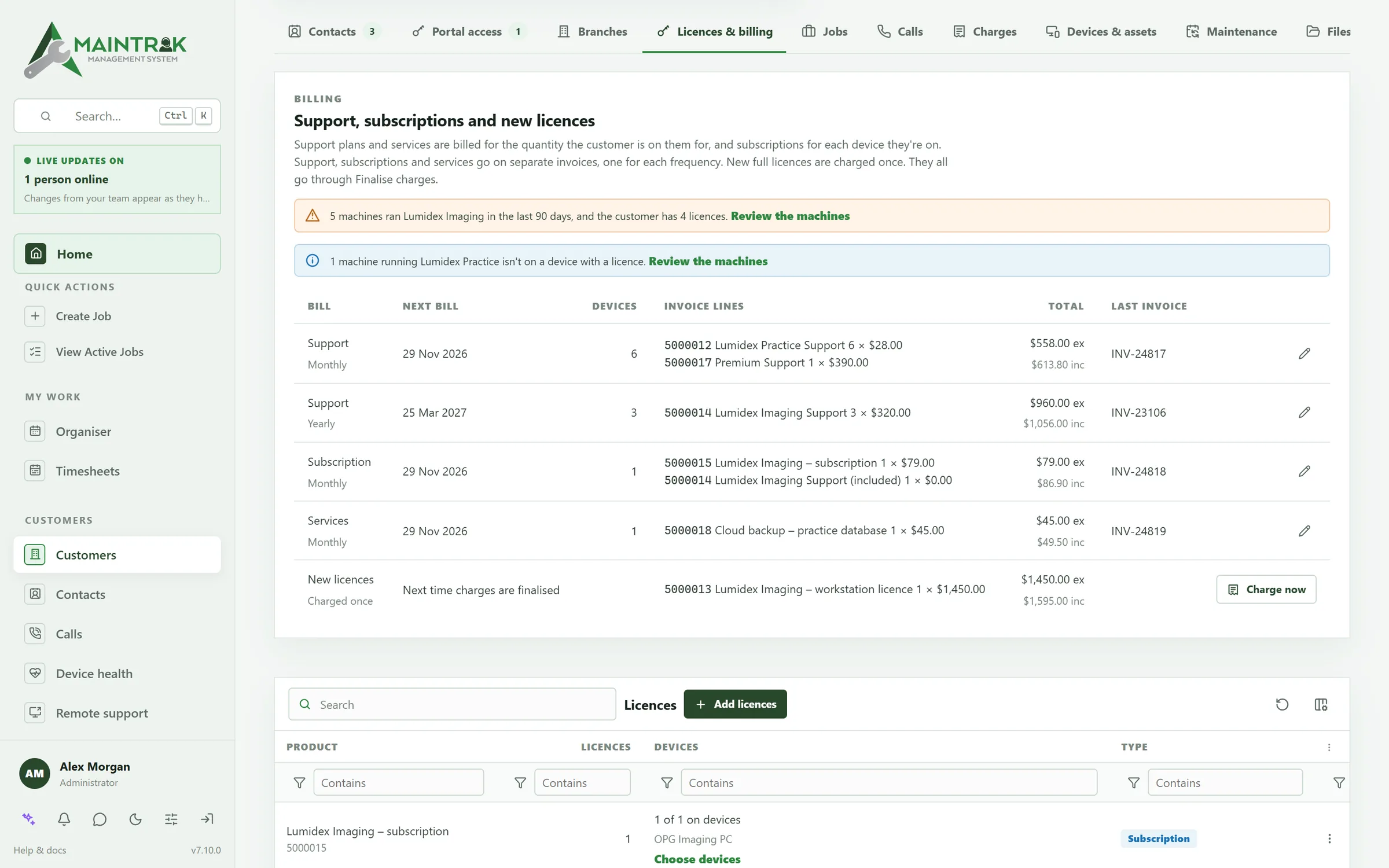
- Support plans that cover everything or only the products they list, billed to each customer by quantity.
- Subscription licences billed for each device, with a support plan included.
- Licences on devices, with a key for each, and repeating services such as hosting.
- Month-end finalisation, with support, subscriptions, services and new licences on bills of their own.
- Credit stop: put a customer, a plan or a device on stop, and keep billing or pause it. Staff see it on that customer's jobs.
- Charge new licences straight away, or leave them for month end.
- Repeating charges, a charges calendar, and copying a charge to make the next one.
- Each customer's page shows what's not invoiced yet, what's overdue and what's due next.
- Invoices go to Xero or MYOB, with customers matched to your contacts there, and what each one owes shown on their page.
- Another accounting system? Finalise the month with its invoice numbers, export the charges, or have it read them through MainTrak's API.
Quotes
- Quotes from your products and labour, at each customer's prices, with optional lines the customer can choose.
- Email a quote with a link: the customer accepts and signs it online, or declines, without signing in.
- An accepted quote becomes a job at the quoted prices, and can be charged in one step.
- Send quotes to Xero or MYOB, and record quotes you made in other software.
- A reminder before a quote expires, and automations when one is accepted or declined.
Time tracking
- Start a timer from a job, or for time that isn't on a job, such as travel or a meeting.
- Add time afterwards, and see each person's week on a timesheet, with what's billable.
- Charge time as labour at your hourly price, rounded the way you like, with a minimum charge. Logged time is ready on the job's next charge.
- Mark job types as never billable, and get a reminder when a timer has run too long.
- Export timesheets as CSV.
Maintenance schedules
- Routine jobs for a customer, their site and their equipment, raised automatically.
- On fixed dates, or a set time after the last one is completed.
- Raised a set number of days before they're due, with the task, checklist, priority and assignee filled in.
- One job for all the devices, or a job for each.
- See what's coming up as a list or a calendar, raise the next one early, or pause a schedule.
- Turn any job into a repeating one from the job sheet.
Reports and dashboards
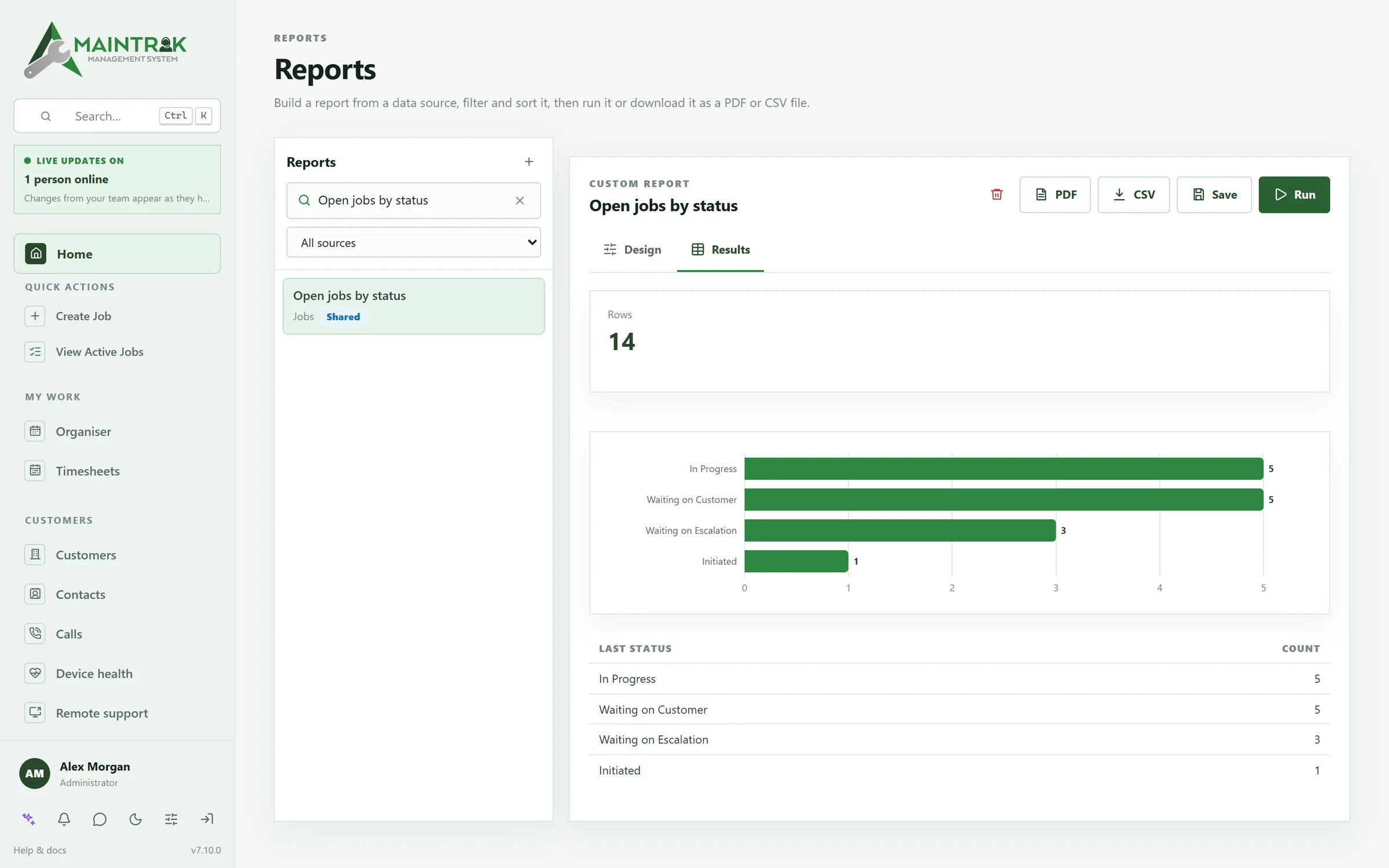
- Build reports on jobs, charges, customers and more, chart them, and export them to PDF or CSV.
- Automations can email reports on a schedule.
- Dashboards with 21 widgets, and separate layouts for medium and large screens.
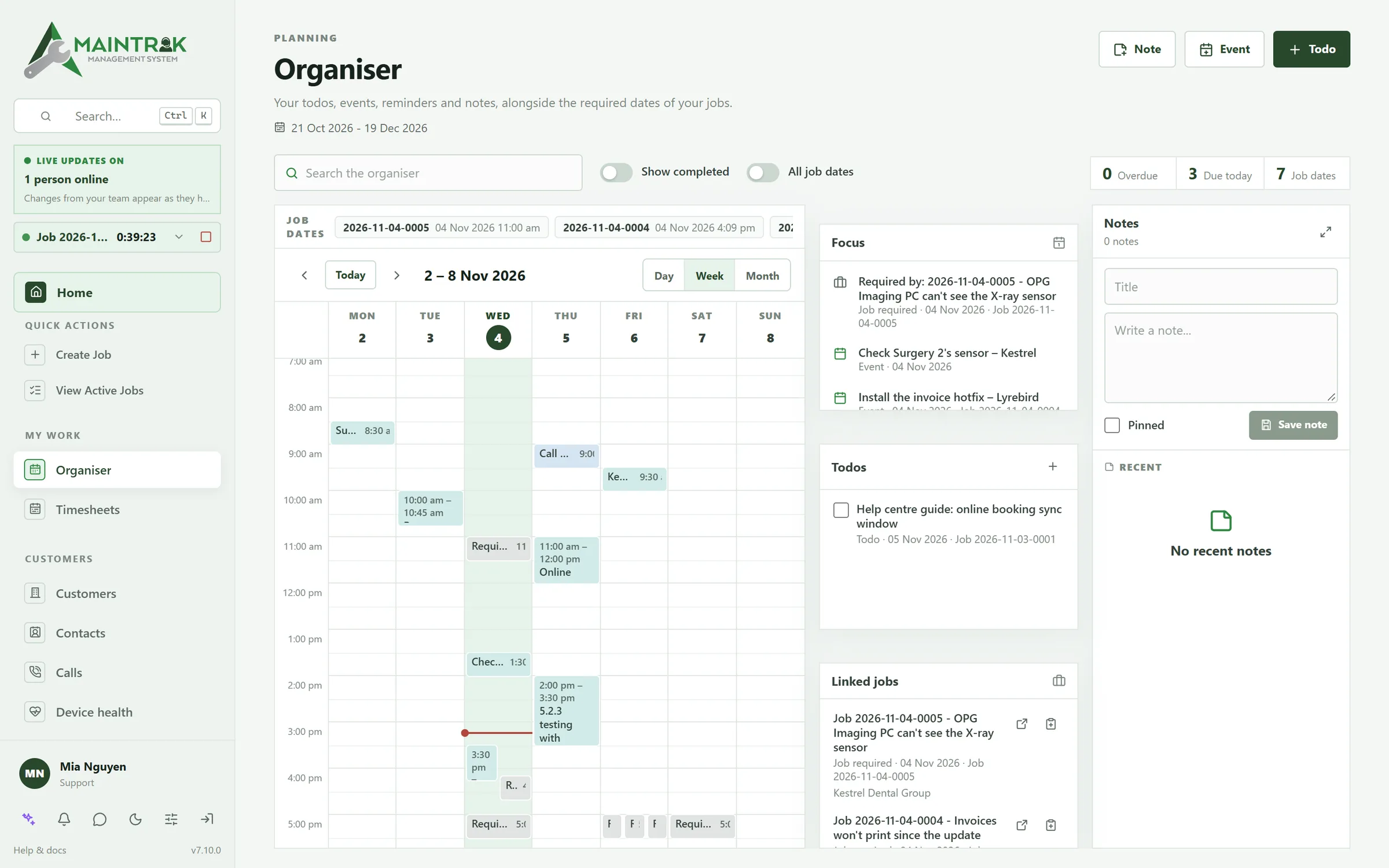
- The organiser: your week of events, reminders, to-dos and job due dates, next to pinned notes.
- Calendar feeds put due dates and SLA times in Outlook, Apple Calendar, Google Calendar or on your phone.
Staff chat
- One-to-one and group chats, with photos, files up to 1 GB, replies and reactions.
- Type # to link a job, customer, contact or call, and @ to mention someone.
- Edit a message for up to 15 minutes after sending it, and the earlier version is kept.
- Typing and read indicators, do-not-disturb, and messages that wait for you while you're offline.
- See who's online, which job they have open, and who's on a call.
- MainTrak Chat for iPhone: the same conversations, with notifications.
Plugins
- Plugins add their own pages in the sidebar, cards on the job sheet, tabs on a customer, and items in a job's or customer's menu.
- They run in a sandbox. They only get the access an administrator approves when installing them, and never more than the person using them has.
- Installing shows who made it, what it asks for in plain words and the web addresses it uses. Updates show what's new.
- Turn a plugin off or uninstall it at any time. The history shows which plugin made each change.
- Plain web code: HTML and JavaScript, with any framework. A small SDK, a tool to test and package them, and a sample that uses every part.
- Developer mode loads a plugin straight from your computer while you build it.
- Plugins keep their own data in MainTrak, follow light and dark mode, and see changes as they happen.
- Signed webhooks when jobs, customers and requests change, and server keys for your own server to call MainTrak's API.
Customise
- Your own fields (text, number, date, checkbox) on custom cards.
- Drag and resize cards, choose the tab order, and keep separate layouts for tablet and desktop.
- Reorder the sidebar, move items between groups, hide what you don't use and pin quick actions.
- Add plugins while MainTrak is running: pages, job sheet cards, customer tabs and menu items (see Plugins).
- Light and dark themes that follow your device, in MainTrak and the customer portal.
Keyboard and search
- Ctrl+K finds customers, jobs, contacts, devices, calls, products, charges and every setting from one search box.
- More than 130 actions, each with a shortcut you can change.
- Alt+H shows key hints for the buttons on screen.
- Triage job requests without touching the mouse.
Security and audit
- Two-factor codes from an authenticator app, for staff and portal users.
- Staff can sign in with Google or Microsoft.
- Six ready-made roles, from Administrator to Read only, or your own, setting what each person can do area by area.
- Changes to jobs, customers, contacts, charges, calls and devices are recorded, with the old and new values highlighted.
- Changes to jobs and job notes can be rolled back.
AI
- Ask the assistant to log a job, add a charge or draft an automation, and it does it.
- Sum up a long job in a few lines, or get a suggested fix from what's been tried so far.
- For an issue in your own software, suggest the cause and a fix from its stack trace and your code on GitHub.
- Use a cloud AI such as OpenAI, Claude, Gemini or Azure OpenAI, or any OpenAI-compatible service.
- Or run a free model on your own server with Ollama, so job data stays on your network.
- Everything works without AI too.
Integrations
- Xero and MYOB for invoices, quotes and customers.
- MainTrak for Outlook, on the web, Windows and Mac.
- Automations call other systems' web APIs and send webhooks.
- Plugins add pages, cards, tabs and menu items of your own (see Plugins).
- Your own programs can send their errors and versions to MainTrak (see Software monitoring).
- Remote access tools: TeamViewer, AnyDesk, RustDesk, ScreenConnect, Splashtop, Chrome Remote Desktop, Zoho Assist, GoTo Resolve and LogMeIn.
- GitHub: log or link an issue from a job, and let GitHub events run automations.
- Need something else? We'll build a custom integration with you.
Hosting and data
- Hosted by us, or run it yourself with Docker Compose and automatic HTTPS.
- SQL Server or PostgreSQL. Schema updates apply themselves when MainTrak starts.
- Scheduled, portable backups that can be restored onto either database.
- Email safety mode holds outgoing mail on test systems.
- Import customers, contacts, products, calls, job requests and jobs from CSV or Excel.
- Export customers, contacts and jobs as CSV, Excel or JSON.
Desktop, tablet and phone
- Works in the browser on desktop, tablet and mobile.
- On phones, lists become cards and the job sheet gets Previous, Save and Next within reach of your thumb.
- Tablets get a job sheet layout of their own.
- MainTrak Chat, a native iPhone app for staff chat.
- MainTrak Remote, a native iPad and iPhone app for remote support.
Try it on your own work.
We'll set up a trial with you, hosted by us or on your own server. Email is fine: no sales call unless you ask for one.